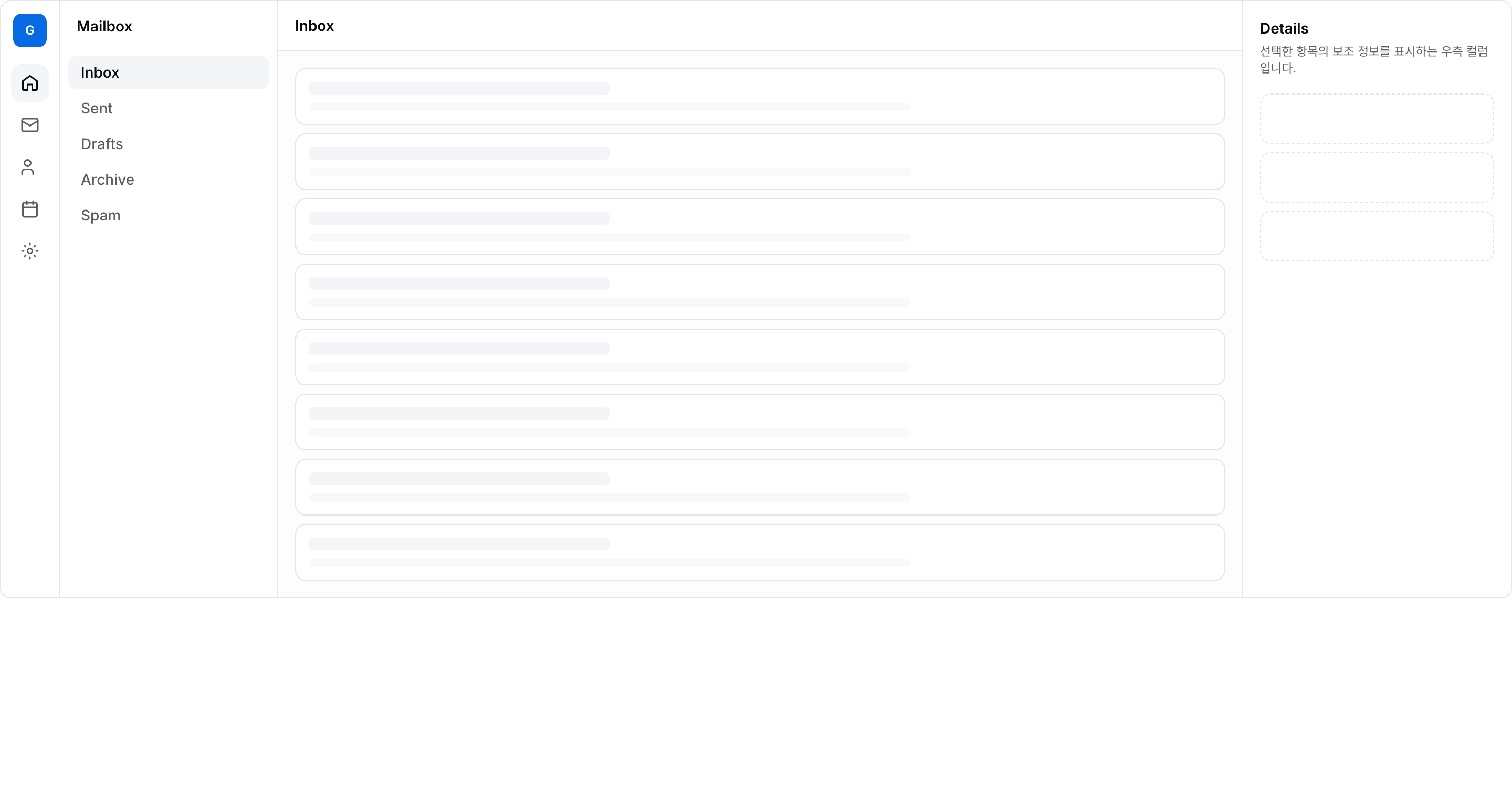
Multi-Column App Shell

FreeNew

아이콘 사이드 + 네비 사이드 + 본문 + 우측 aside. 화면 폭에 따라 컬럼이 단계적으로 접힘. (메일·이슈 트래커류)

Live preview

Code

"use client";

import * as React from "react";
import { cn } from "@/lib/utils";

/**
 * Multi-Column App Shell — 좁은 아이콘 사이드 + 메인 네비 사이드 + 본문 + 우측 aside.
 * 메일·이슈 트래커류 멀티컬럼 앱 셸 레이아웃.
 *
 * 구조 (데스크탑):
 *   ┌────┬───────────┬──────────────┬──────────┐
 *   │ 🔲 │  Nav      │   Content    │  Aside   │
 *   │ 아이콘│  사이드   │   (메인)     │  (보조)  │
 *   └────┴───────────┴──────────────┴──────────┘
 *
 * 반응형 축소:
 *   - lg 미만: 우측 aside 숨김
 *   - md 미만: 메인 네비 사이드 숨김
 *   - sm 미만: 아이콘 사이드도 숨기고 상단 햄버거로 토글
 */

const NAV = ["Inbox", "Sent", "Drafts", "Archive", "Spam"];
const ICONS = ["home", "mail", "users", "calendar", "settings"] as const;

export function AppShellMultiColumnTemplate() {
  const [navOpen, setNavOpen] = React.useState(false);
  const [active, setActive] = React.useState("Inbox");

  return (
    <div className="flex h-[560px] w-full overflow-hidden rounded-lg border border-border bg-muted/20">
      {/* 1. Narrow icon sidebar — sm 이상 표시 */}
      <aside className="hidden w-14 shrink-0 flex-col items-center gap-2 border-r border-border bg-card py-3 sm:flex">
        <div className="flex size-8 items-center justify-center rounded-md bg-primary text-xs font-bold text-primary-foreground">
          G
        </div>
        <div className="mt-2 flex flex-col gap-1">
          {ICONS.map((ic, i) => (
            <button
              key={ic}
              type="button"
              className={cn(
                "flex size-9 items-center justify-center rounded-lg transition-colors",
                i === 0
                  ? "bg-muted text-foreground"
                  : "text-muted-foreground hover:bg-muted/60 hover:text-foreground",
              )}
              aria-label={ic}
            >
              <IconGlyph name={ic} />
            </button>
          ))}
        </div>
      </aside>

      {/* 2. Main nav sidebar — md 이상 표시 */}
      <nav className="hidden w-52 shrink-0 flex-col border-r border-border bg-card md:flex">
        <div className="flex h-12 items-center px-4 text-sm font-semibold">Mailbox</div>
        <ul className="flex-1 space-y-0.5 px-2 py-1">
          {NAV.map((item) => (
            <li key={item}>
              <button
                type="button"
                onClick={() => setActive(item)}
                className={cn(
                  "w-full rounded-md px-3 py-1.5 text-left text-sm font-medium transition-colors",
                  active === item
                    ? "bg-muted text-foreground"
                    : "text-muted-foreground hover:bg-muted/60 hover:text-foreground",
                )}
              >
                {item}
              </button>
            </li>
          ))}
        </ul>
      </nav>

      {/* 3. Main content */}
      <main className="flex min-w-0 flex-1 flex-col">
        {/* 모바일 상단바 (md 미만에서 nav 토글) */}
        <div className="flex h-12 shrink-0 items-center gap-2 border-b border-border bg-card px-3 md:px-4">
          <button
            type="button"
            onClick={() => setNavOpen((o) => !o)}
            aria-label="Toggle navigation"
            className="inline-flex size-8 items-center justify-center rounded-md text-muted-foreground hover:bg-muted md:hidden"
          >
            <Menu />
          </button>
          <span className="text-sm font-semibold">{active}</span>
        </div>

        {/* 모바일 펼침 네비 */}
        {navOpen && (
          <nav className="border-b border-border bg-card px-2 py-2 md:hidden">
            {NAV.map((item) => (
              <button
                key={item}
                type="button"
                onClick={() => {
                  setActive(item);
                  setNavOpen(false);
                }}
                className={cn(
                  "block w-full rounded-md px-3 py-2 text-left text-sm font-medium transition-colors",
                  active === item
                    ? "bg-muted text-foreground"
                    : "text-muted-foreground hover:bg-muted/60",
                )}
              >
                {item}
              </button>
            ))}
          </nav>
        )}

        <div className="flex-1 space-y-2 overflow-y-auto p-3 md:p-4">
          {Array.from({ length: 8 }).map((_, i) => (
            <div
              key={i}
              className="rounded-lg border border-border bg-card p-3"
            >
              <div className="h-3 w-1/3 rounded bg-muted" />
              <div className="mt-2 h-2 w-2/3 rounded bg-muted/60" />
            </div>
          ))}
        </div>
      </main>

      {/* 4. Right aside — lg 이상 표시 */}
      <aside className="hidden w-64 shrink-0 flex-col border-l border-border bg-card p-4 lg:flex">
        <h3 className="text-sm font-semibold">Details</h3>
        <p className="mt-1 text-xs text-muted-foreground">
          선택한 항목의 보조 정보를 표시하는 우측 컬럼입니다.
        </p>
        <div className="mt-4 space-y-2">
          {Array.from({ length: 3 }).map((_, i) => (
            <div key={i} className="h-12 rounded-lg border border-dashed border-border" />
          ))}
        </div>
      </aside>
    </div>
  );
}

function Menu() {
  return (
    <svg width="18" height="18" viewBox="0 0 24 24" fill="none" stroke="currentColor" strokeWidth="2" strokeLinecap="round" aria-hidden="true">
      <path d="M4 6h16M4 12h16M4 18h16" />
    </svg>
  );
}

function IconGlyph({ name }: { name: (typeof ICONS)[number] }) {
  const p: Record<(typeof ICONS)[number], React.ReactNode> = {
    home: <path d="M3 9.5 12 3l9 6.5V20a1 1 0 0 1-1 1h-5v-7H9v7H4a1 1 0 0 1-1-1z" />,
    mail: (
      <>
        <rect x="2" y="4" width="20" height="16" rx="2" />
        <path d="m2 7 10 6 10-6" />
      </>
    ),
    users: (
      <>
        <path d="M16 21v-2a4 4 0 0 0-4-4H6a4 4 0 0 0-4 4v2" />
        <circle cx="9" cy="7" r="4" />
      </>
    ),
    calendar: (
      <>
        <rect x="3" y="4" width="18" height="18" rx="2" />
        <path d="M16 2v4M8 2v4M3 10h18" />
      </>
    ),
    settings: (
      <>
        <circle cx="12" cy="12" r="3" />
        <path d="M12 2v2m0 16v2M4 12H2m20 0h-2m-2.5-5.5 1.5-1.5M5 19l1.5-1.5M19 19l-1.5-1.5M6.5 6.5 5 5" />
      </>
    ),
  };
  return (
    <svg width="18" height="18" viewBox="0 0 24 24" fill="none" stroke="currentColor" strokeWidth="2" strokeLinecap="round" strokeLinejoin="round" aria-hidden="true">
      {p[name]}
    </svg>
  );
}